The time changed. Which one is right?
The time in CheerKeeper is the latest one the event producer published. If it differs from the printed schedule, the app is newer. Pull down on the screen to refresh.
See howHelp center
Everything CheerKeeper does, screen by screen, and quick fixes for competition day.
Stuck at an event? Email support@cheerkeeper.com
Competition day
The time in CheerKeeper is the latest one the event producer published. If it differs from the printed schedule, the app is newer. Pull down on the screen to refresh.
See howOpen Settings in the app and check that Notifications says On. If it says Off, tap it to open iPhone Settings. Then tap the bell on your team’s row and pick how early you want the reminder.
See howIn Browse, clear the When, Where and Producer filters and search again. Check your mode in Settings too: Cheer mode only lists cheer events, and Dance mode only lists dance.
See howOpen your event once while you still have signal. Its schedule is then saved on your phone and marked OFFLINE in My Events. New changes come in when you reconnect.
See howUnlocks belong to the phone they were bought on. Open Settings and tap Restore Purchase. An event bought on a different phone will not carry over.
See howTap your team to see its hall, time and countdown. The map icon next to the hall opens the venue map, if the producer uploaded one.
See howGetting started
You do not need an account. Pick the events you follow, find your competition and star it. That is the whole setup.
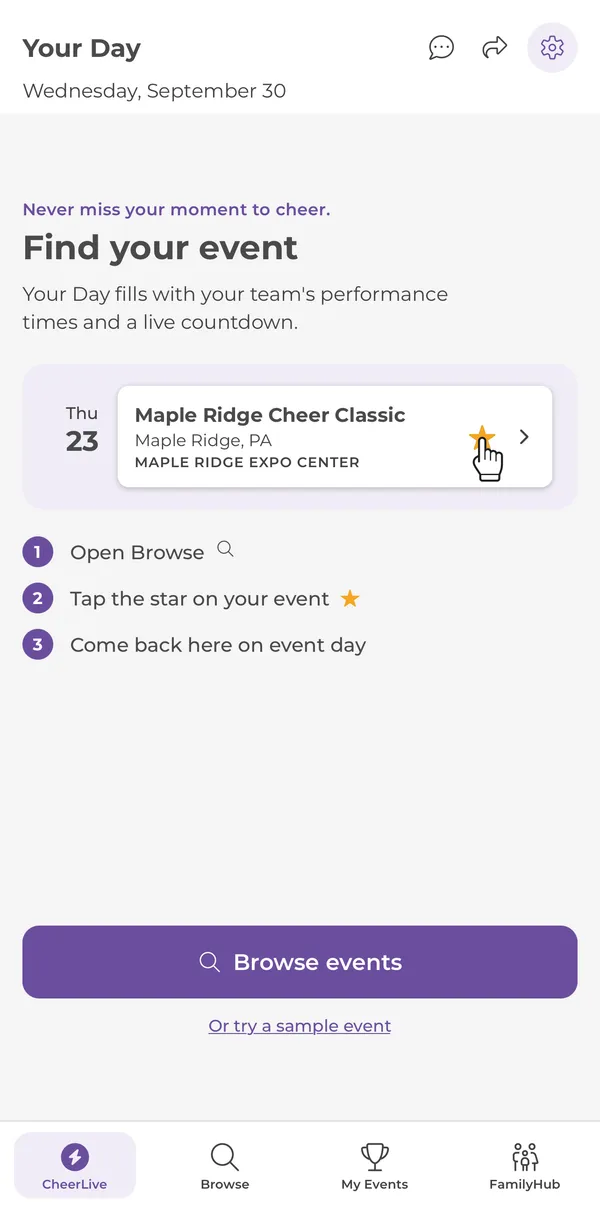
Open Browse, tap the star on your event, and come back to this tab on event day.
Takes you straight to the list of events.
Want to look around first? The sample event is free and uses made-up teams.
CheerLive tab
On event day, the CheerLive tab shows the routines from every event you starred, with the producer’s latest times. It refreshes when you open the app or pull down.
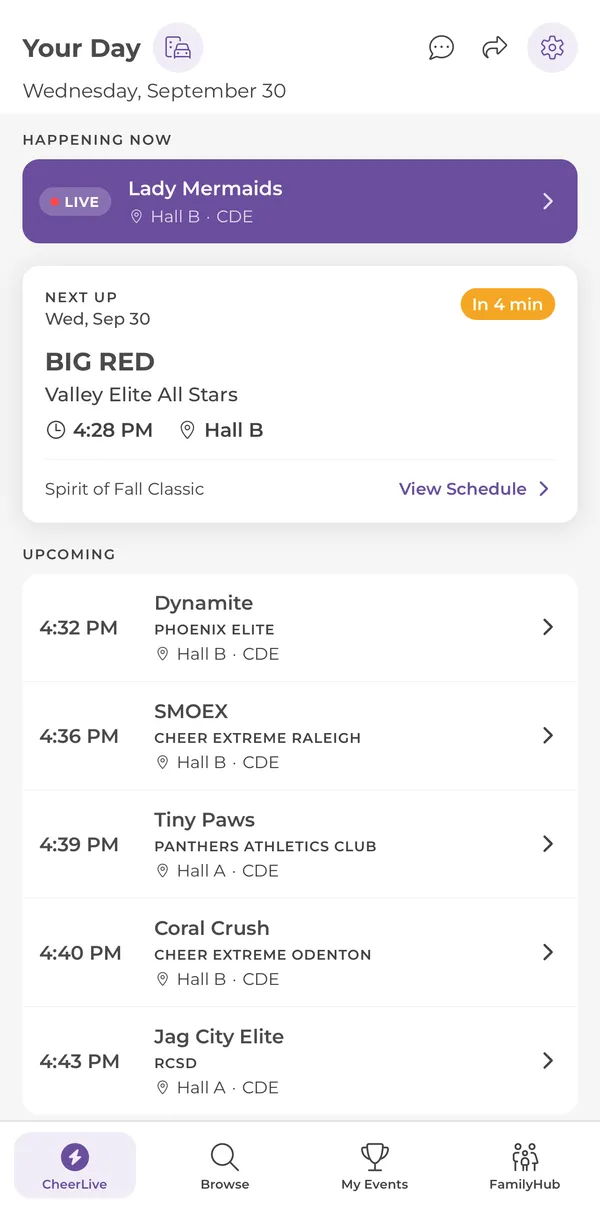
The routine on the floor right now in each hall.
The next routine, with its time, hall and minutes to go. Teams you added to your Itinerary come first.
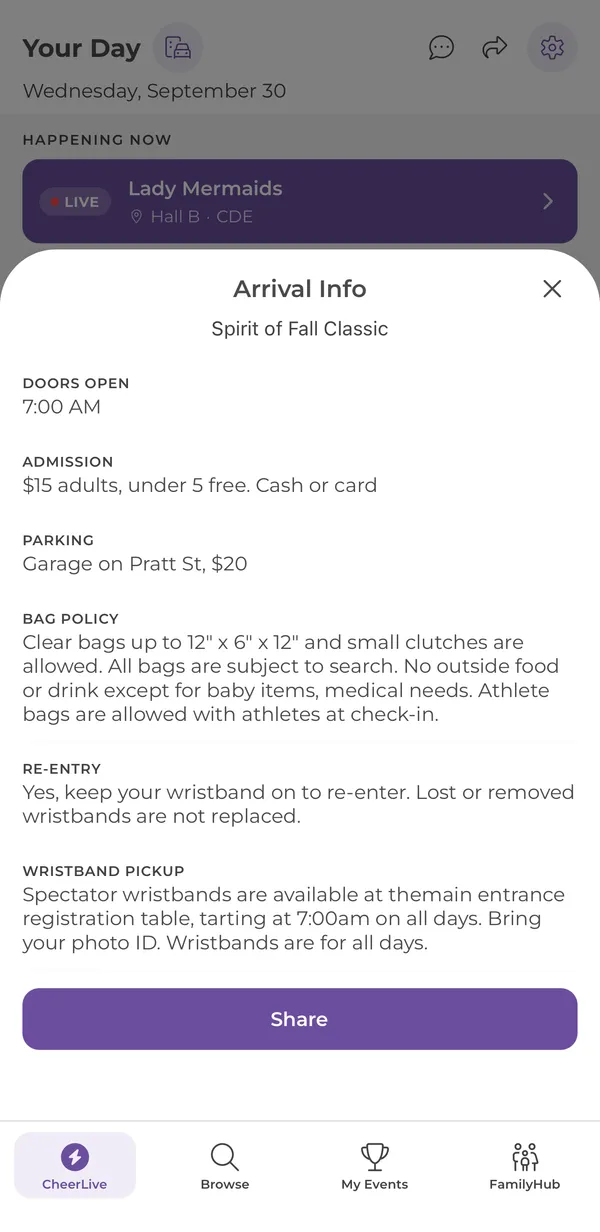
The suitcase icon opens doors, admission, parking, bag policy, re-entry and wristband details, when the producer has added them.
The next few routines across the building. Tap any row for the team’s details.
Browse tab
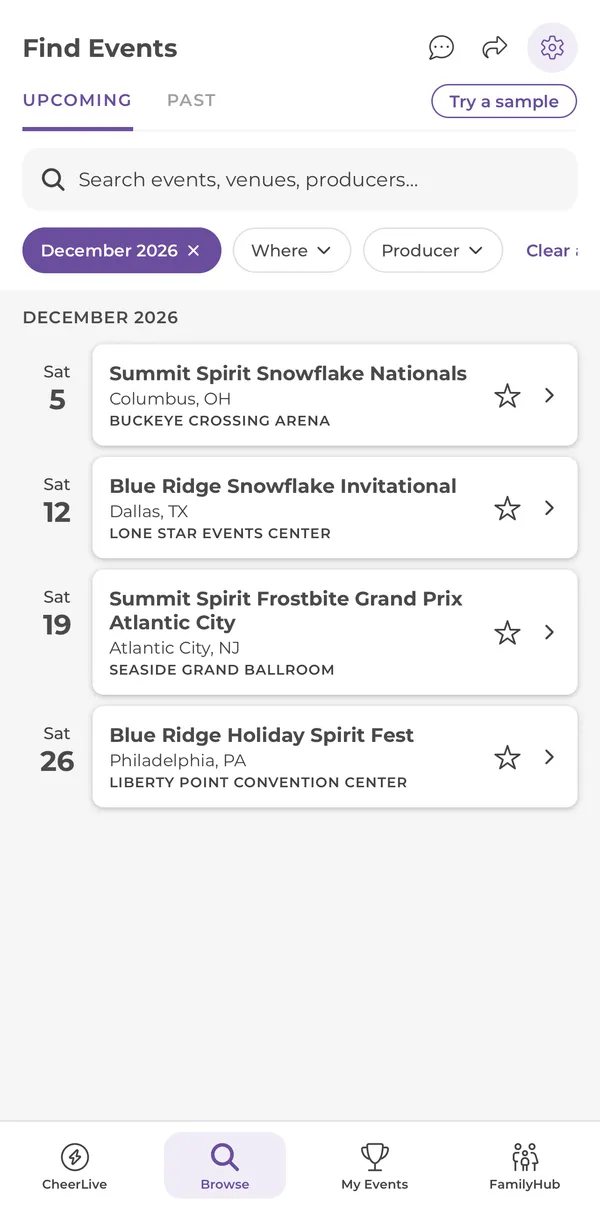
Browse lists every event in your mode, grouped by month. Tap the star to follow an event. It then appears in My Events and on Your Day.
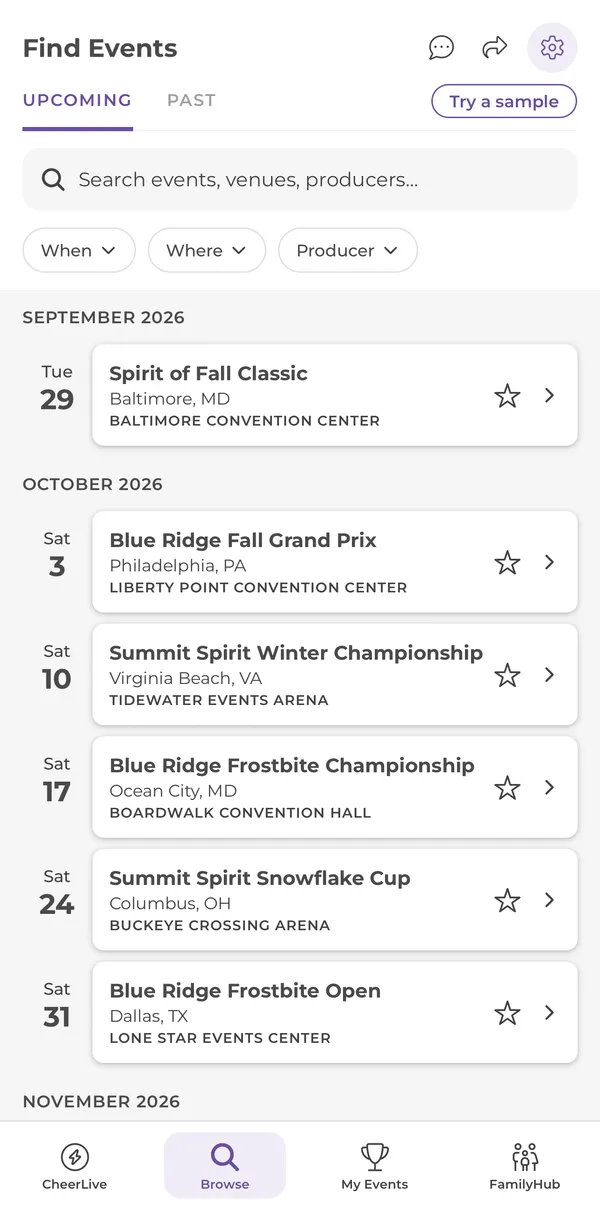
Past events stay here, so you can look back at a schedule after the weekend.
Search by event name, venue or producer.
Narrow by When (this weekend, this month, a month), Where (state) or Producer. Tap Clear all to reset.
Starring is free. It adds the event to My Events and Your Day, and lets the producer’s announcements reach you.
Event schedule
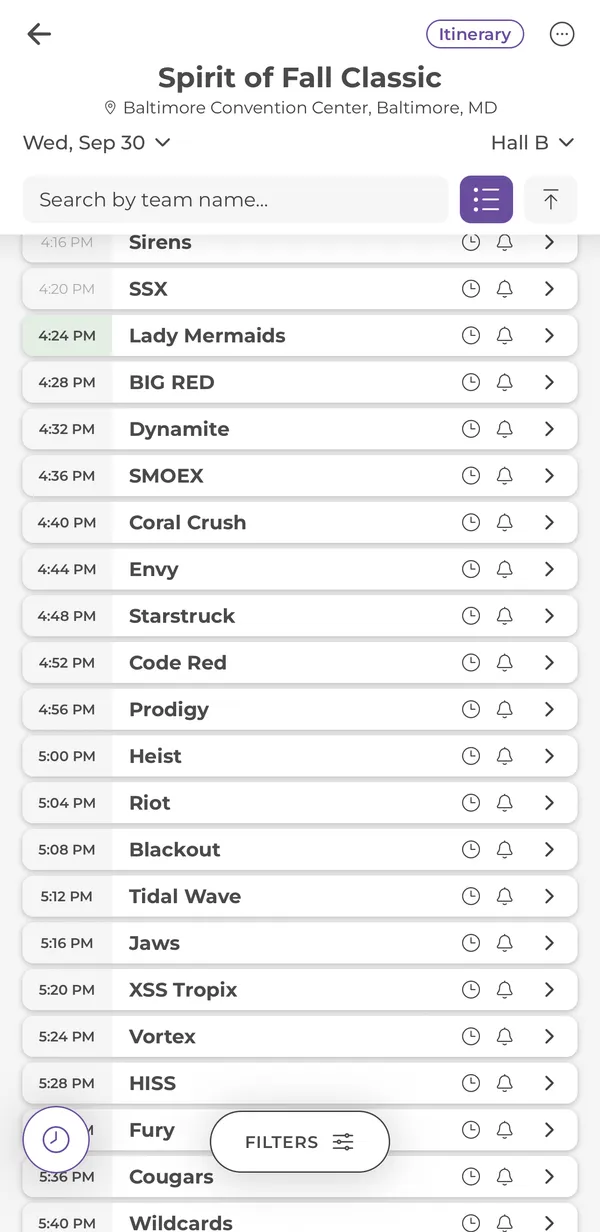
Tap an event to open its schedule. You see one day and one hall at a time, with the producer’s latest times. When the producer moves a hall, the times here move with it.
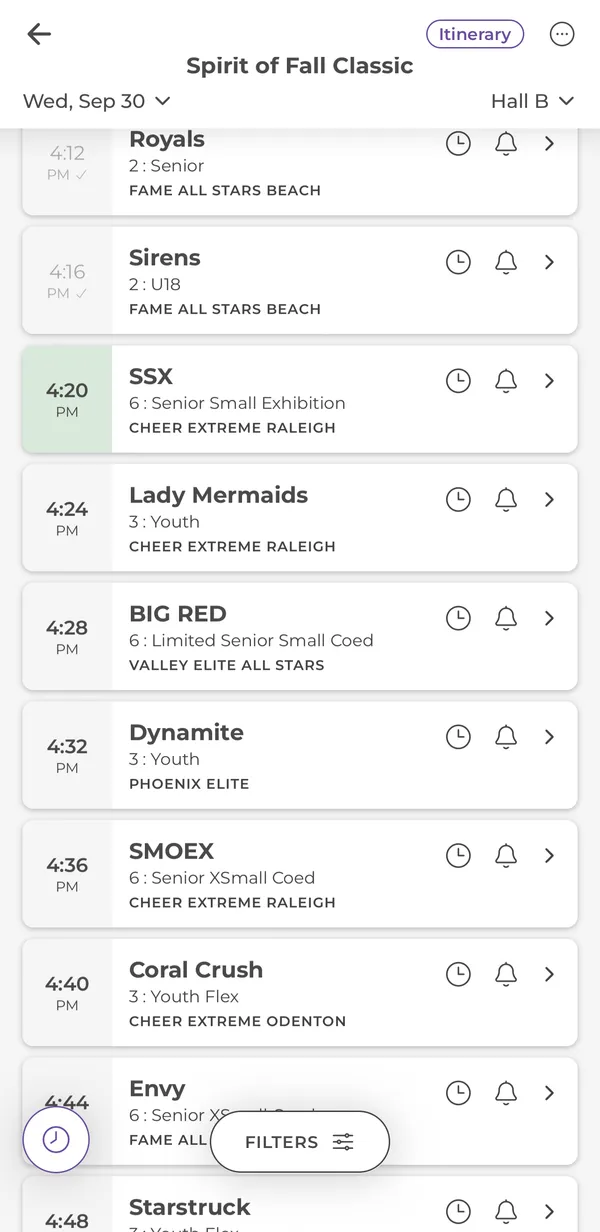
Switch the day and the hall at the top. Searching or filtering shows every hall for that day.
The green row is the routine that should be on the floor now. Grey rows with a check have already gone. Both are worked out from the published times.
The clock adds a team to your Itinerary. The bell sets a reminder and a push if its time moves.
The round clock button scrolls to whatever is on the floor in this hall.
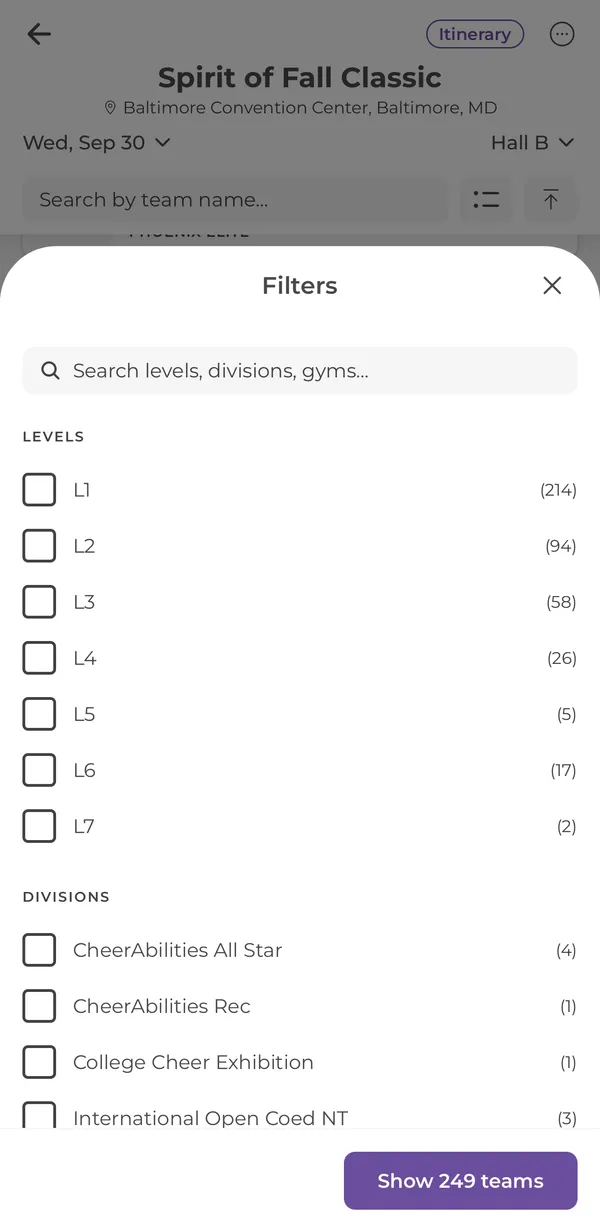
Show only certain levels, divisions or gyms. The number shows how many teams match.
Team details and alerts
Tap a team for everything about its routine. Set a bell here so you hear about it before it happens, and again if it moves.
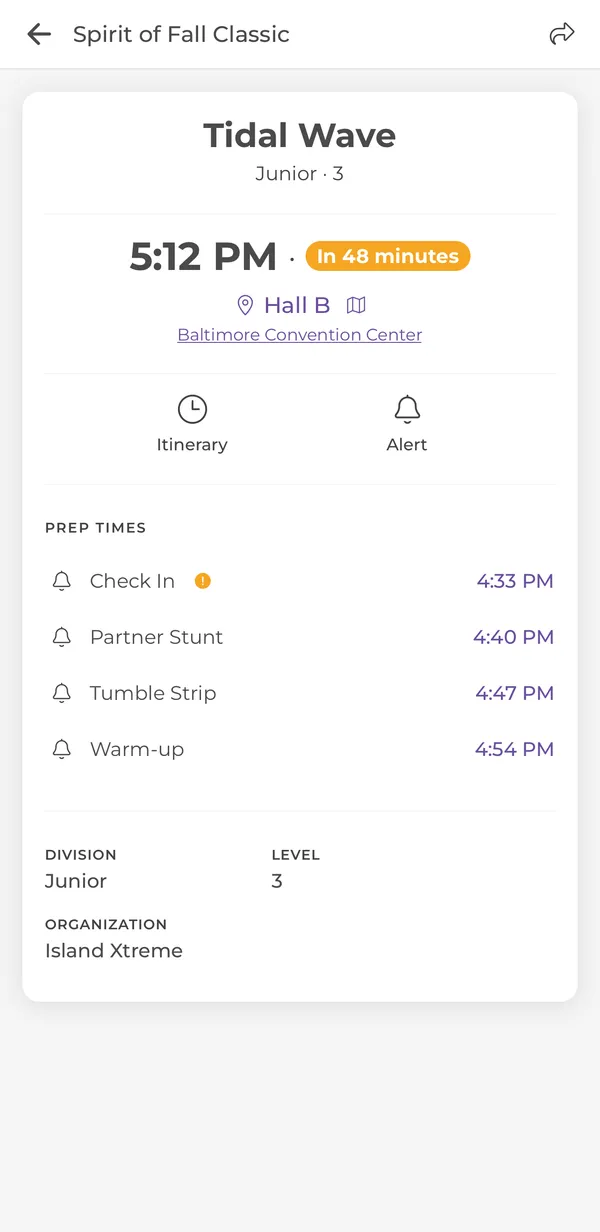
The performance time and how long until it starts.
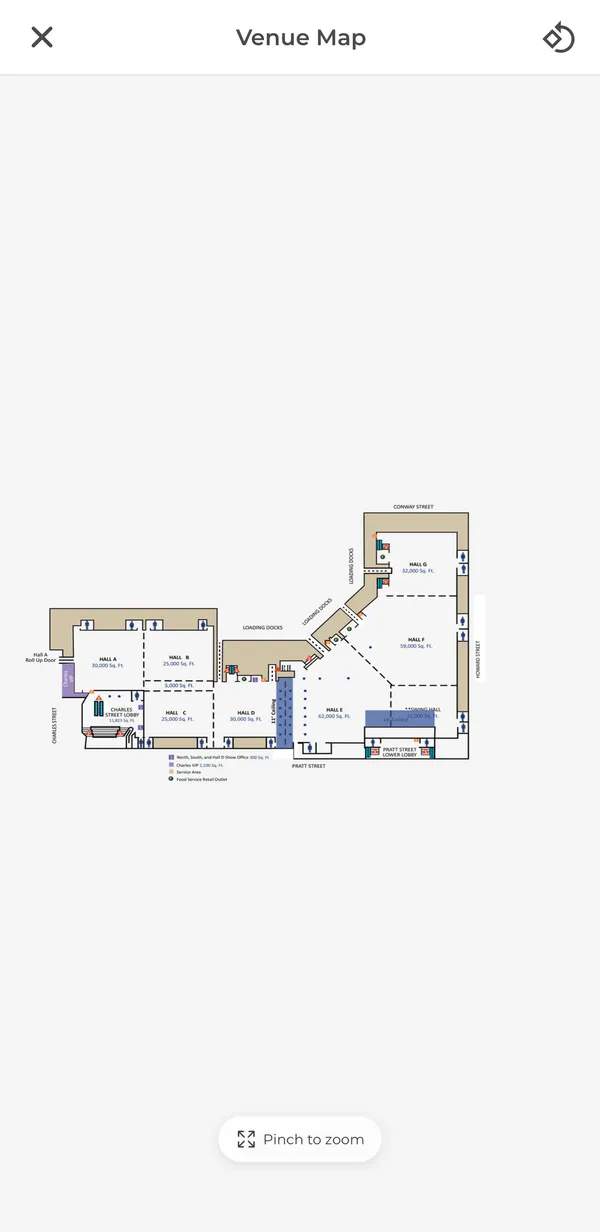
Tap the map icon to open the venue map. Pinch to zoom.
Alert sets a reminder. You choose how early, from 5 minutes to a day before, and 15 minutes is the default. The bell turns orange and shows your number of minutes.
When the producer lists them, check-in, stunt, tumble and warm-up times each get their own bell.
My Itinerary
Tap the clock on any row to add it to your Itinerary. It is a bookmark, not an alarm. Use the bell when you want to be reminded.
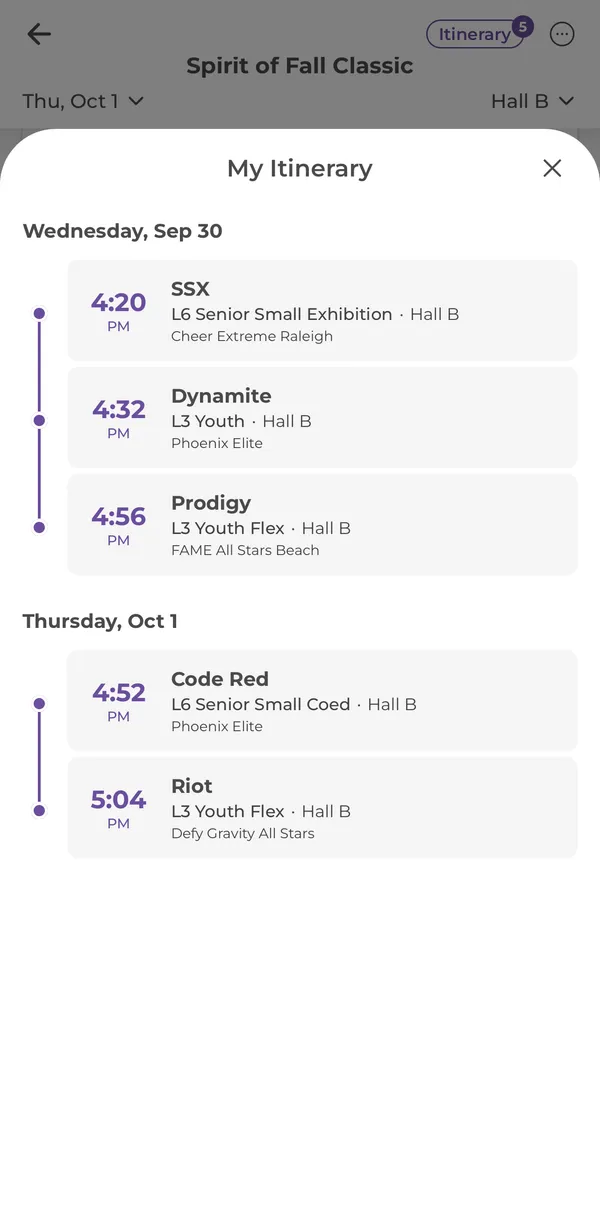
Every routine you added, in time order, across the whole event.
Each entry shows the team, level and division, hall and gym. Itinerary teams are picked first for Next Up on Your Day.
My Events tab
My Events holds every event you starred. Arena Wi-Fi is famously bad, so CheerKeeper keeps a copy of any schedule you have opened.
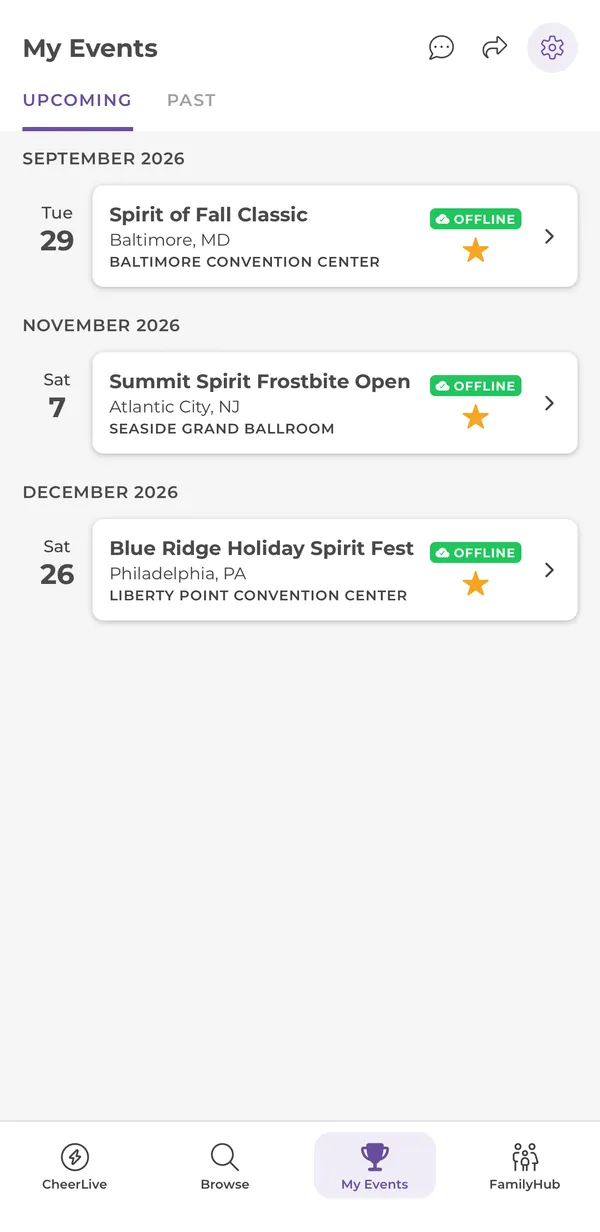
Your starred events, soonest first.
The schedule is saved on this phone. You can open it with no signal. Starring alone doesn’t save it, so open the event once before you arrive.
FamilyHub tab
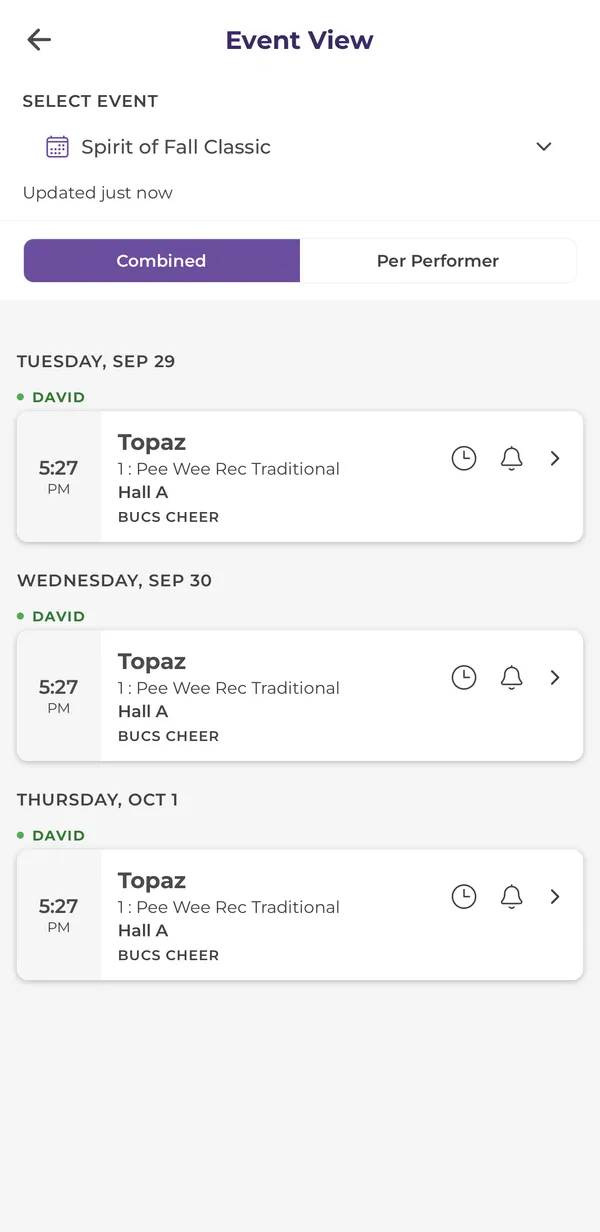
Add each performer and pick their teams. FamilyHub builds one combined schedule for the event, so siblings and crossover athletes are all in one place.
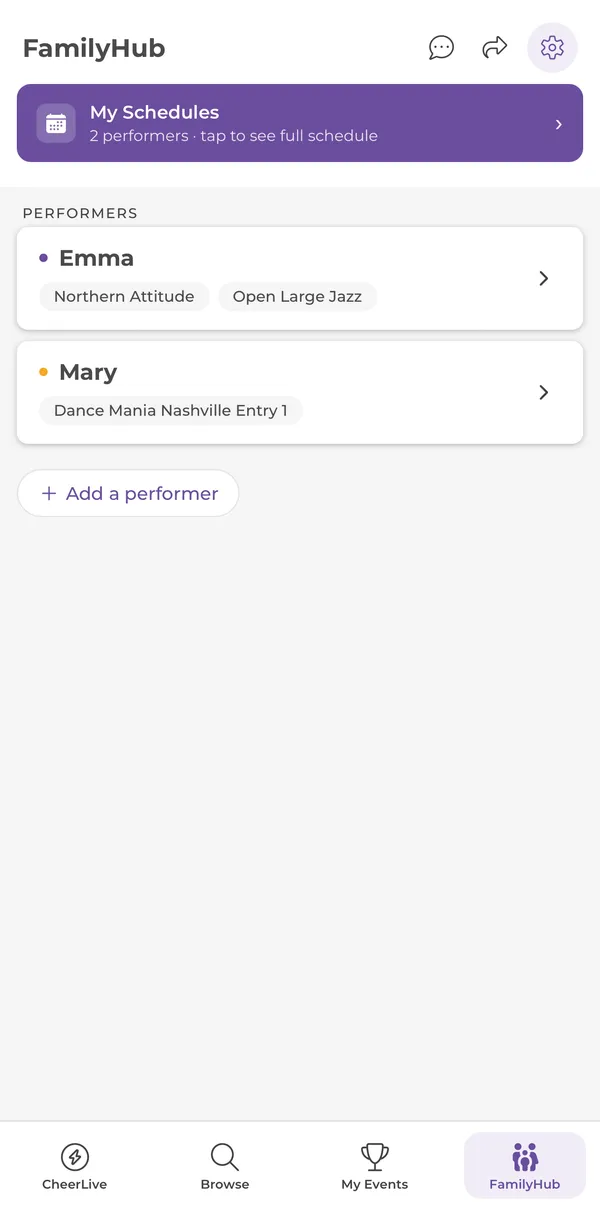
Opens the combined schedule for everyone you added.
Each performer gets a color and a list of teams. A team is matched by name and gym, so it carries over to their next event.
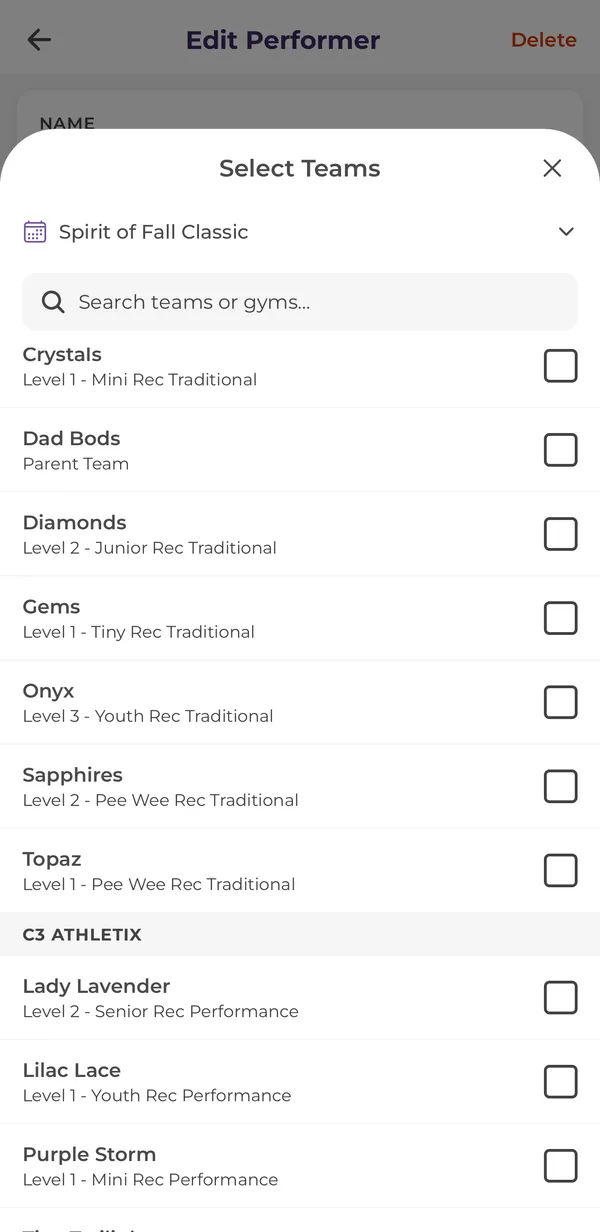
Type a first name or nickname, then select teams from an event you starred.
Settings
Tap the gear at the top right of any tab.
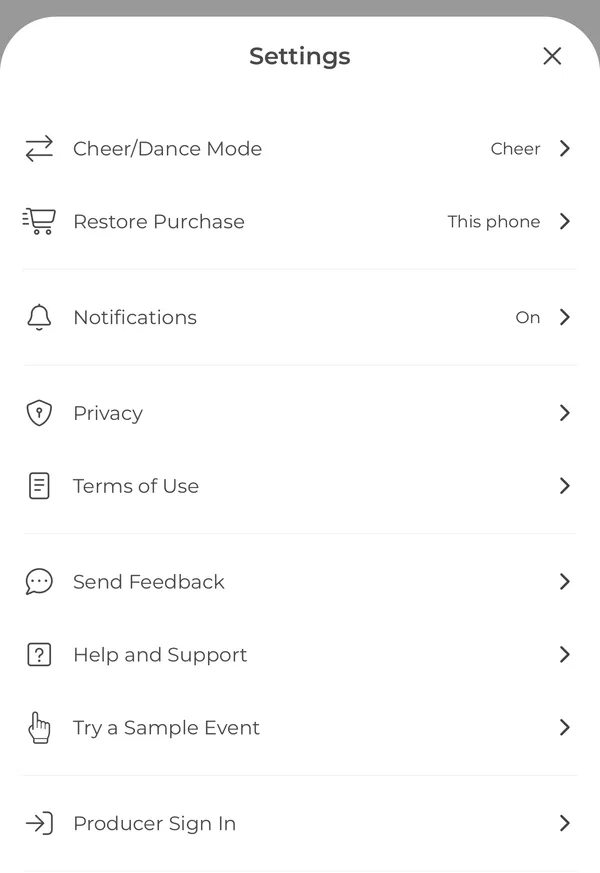
Switch which events Browse lists. Events you already follow are never hidden.
Brings back events this phone already unlocked, for example after reinstalling the app.
Shows whether iPhone lets CheerKeeper notify you. If it says Off, tap it to open iPhone Settings.
Feedback is anonymous. Include your email in the message if you want a reply.
Only for event staff with a PIN. Families never need it.
For event producers
If you produce an event in CheerKeeper, you can shift halls, change routines and message every family from your phone. Families do not need any of this section.
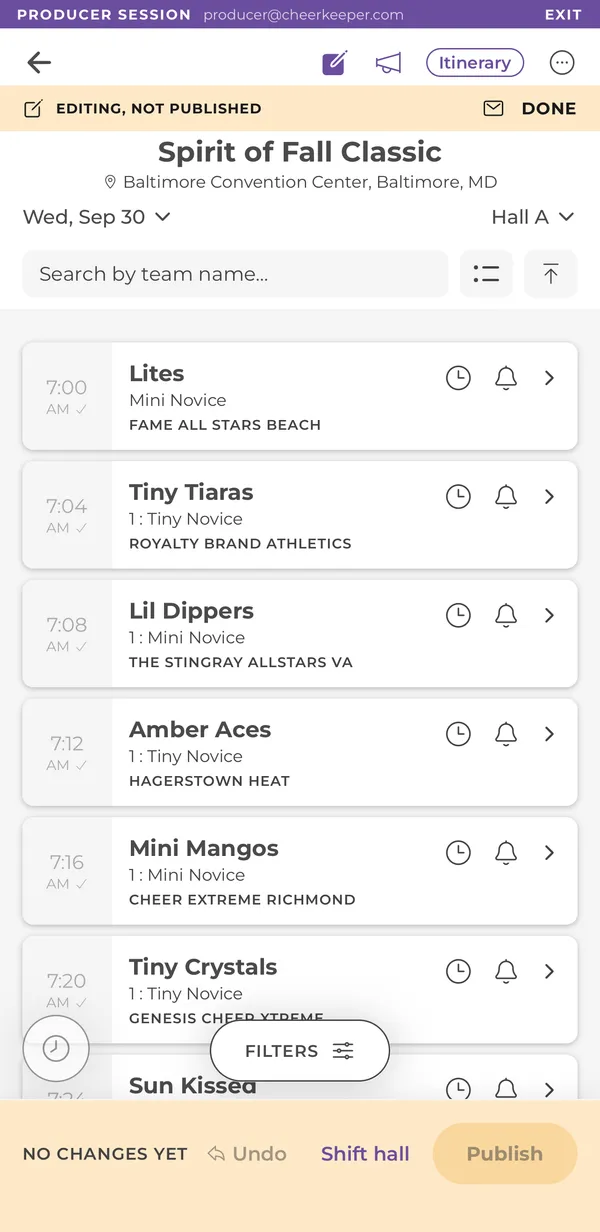
The purple bar shows who is signed in. Tap Exit to leave.
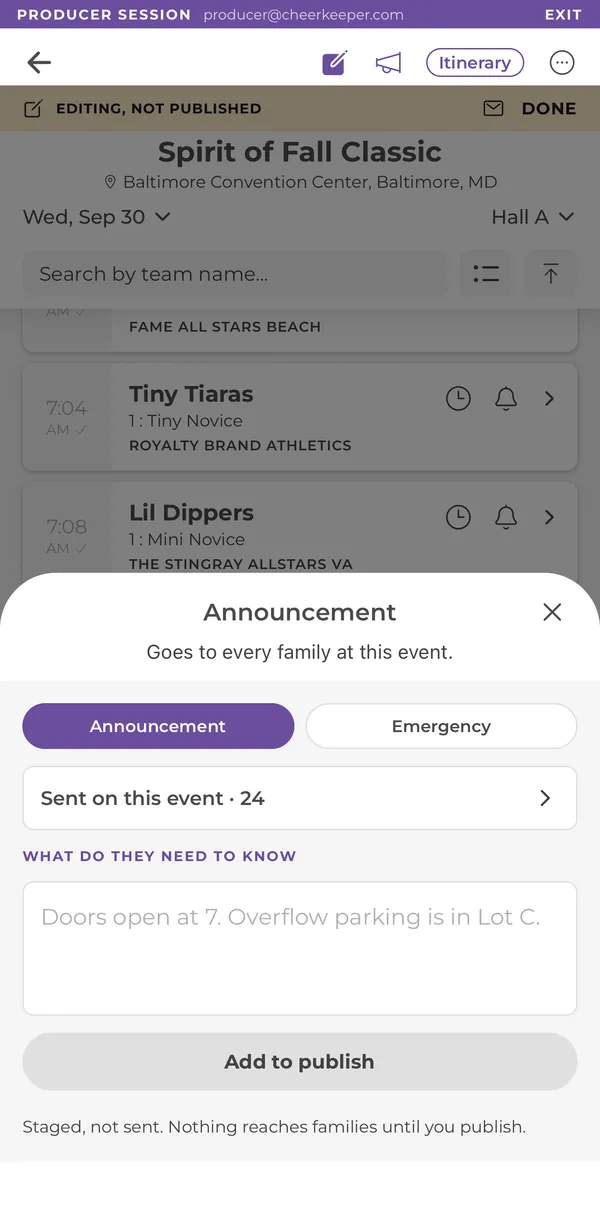
The pencil starts editing. The megaphone writes an announcement or an emergency message.
Changes are staged on your phone. Families see nothing until you publish.
Undo the last staged change, shift a whole hall, then publish everything at once.
FAQ
CheerKeeper is free on the App Store for iPhone. It is coming to Google Play for Android soon.
No. There is nothing to sign up for. Your starred events, alerts and FamilyHub performers are kept on your phone.
Open the Browse tab and search by event name, venue or producer, or filter by When, Where and Producer. Tap the star to follow the event. Browse only lists events for your mode (Cheer or Dance), which you can change in Settings. See Browse.
Email support@cheerkeeper.com with the event name and a link to the schedule or a PDF of it, and we will look into adding it. If you produce events and want to run yours in CheerKeeper, see For Producers.
It decides which events Browse lists and adjusts some wording in the app. It never hides an event you already follow. Change it any time in Settings, then Cheer/Dance Mode.
Yes. Tap “Try a sample” in Browse, or Try a Sample Event in Settings. It is a full event with made-up teams, and it is free.
The app is free to download, and browsing, starring events, setting alerts and the sample event are always free.
Some events need to be unlocked. When one does, you see the unlock screen the first time you open its schedule. Your first unlock is free: tap Claim your free event. Each one after that is a one-time $1.99 for that event. There is no subscription and nothing renews.
The whole event: every routine, time and hall, and schedule changes as they happen, for as many teams as you want to follow. It unlocks the event on the phone you bought it on, not on every phone in the family. Once an event is over, its schedule stays open to view.
Open Settings and tap Restore Purchase. It checks this phone against our records and brings back anything the phone already unlocked. Unlocks are tied to the phone they were bought on, so an event bought on a different phone will not appear. See Settings.
Try Restore Purchase first. If that doesn’t work, email support@cheerkeeper.com with the event name and your App Store receipt. We can restore the unlock by hand. There are no accounts, so the receipt is how we find your purchase.
Purchases go through Apple, so refunds do too. Request one at reportaproblem.apple.com. If something in the app went wrong, email us as well so we can fix it.
When a hall falls behind, the event producer shifts it from their phone and publishes. Every later time in that hall moves with it. If you set a bell on a routine that moved, you get a push with the new time. Everything else updates when you open the app or pull down to refresh. Live changes come from producers who run their event in CheerKeeper. Otherwise you see the published schedule.
Tap the bell on your team’s row, or Alert on its detail screen, and choose how early to be reminded: 5, 10, 15 or 30 minutes, an hour, or a custom time. The bell turns orange and shows your minutes. If the producer moves that routine, the reminder moves with it and you get a push. Prep times such as check-in and warm-up have their own bells. See alerts.
Check three things. First, Settings in CheerKeeper shows Notifications as On. If it says Off, tap it to open iPhone Settings and allow notifications. Second, the bell on that routine is orange. Third, a Focus mode or Do Not Disturb is not silencing CheerKeeper. Bells on routines that have already performed are cleared automatically.
The clock adds a routine to your Itinerary, a short list of the teams you care about. It also puts them first on Your Day. It does not make a sound. The bell sets a reminder and a push if the time changes. Many families use both.
Producers can send a message to everyone following the event, like “Doors open at 7”. It arrives as a push notification and as a card above the schedule. Emergency messages sound an alert and fill the screen. To reread past messages, open the event and tap ···, then Announcements. You receive them for events you starred or opened.
No. Only the event producer can publish a change to the schedule. Nothing a family does in the app changes the times anyone else sees.
Yes, for any event you have opened. Opening an event saves its schedule on your phone, and My Events marks it OFFLINE. Starring alone does not save it, so open your event once before you get to the venue. See offline.
Yes. Past events are under the Past tab in Browse and My Events, and their schedules stay open to view.
Only what is printed in the event program: team name, gym, division and performance time. We do not collect rosters, birthdays, photos or contact details, and there is no account. If you add performers in FamilyHub, their names and teams stay on your phone and are never sent to us. We suggest a first name or nickname.
Yes. The app follows public schedules by device, and children never make accounts. Read our Privacy Policy, and the children’s privacy section in particular.
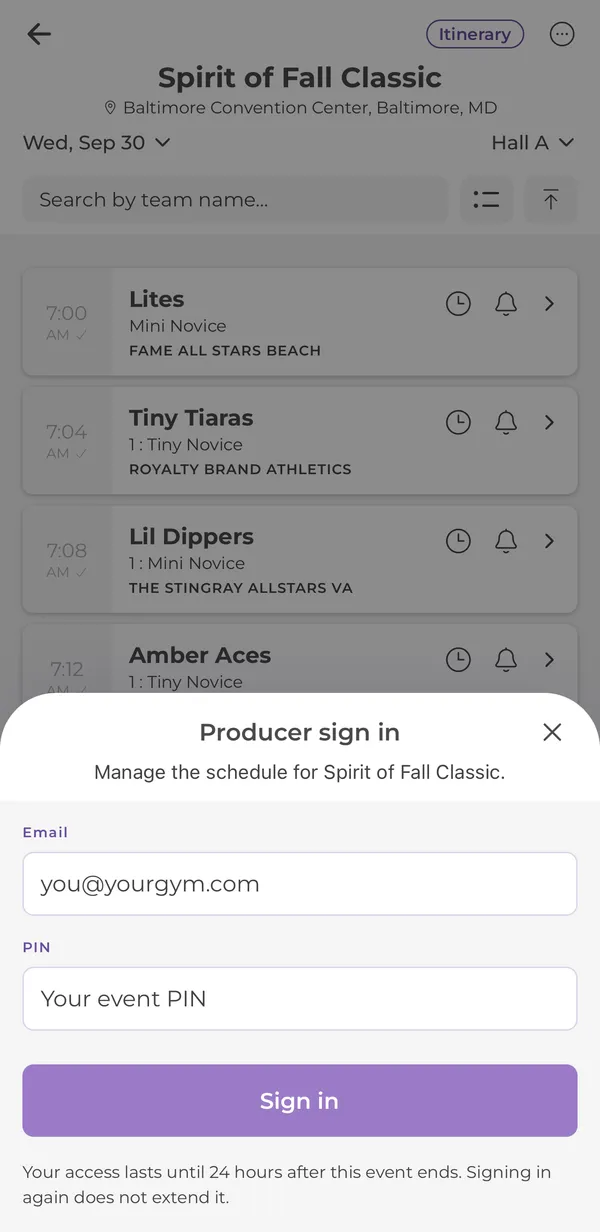
Your event’s organizer creates it for you in the CheerKeeper admin dashboard. Sign in from Settings, then Producer Sign In, using the email the PIN was issued to. If it doesn’t work, email support@cheerkeeper.com with the event name.
Until 24 hours after the event ends. Signing in again does not extend it.
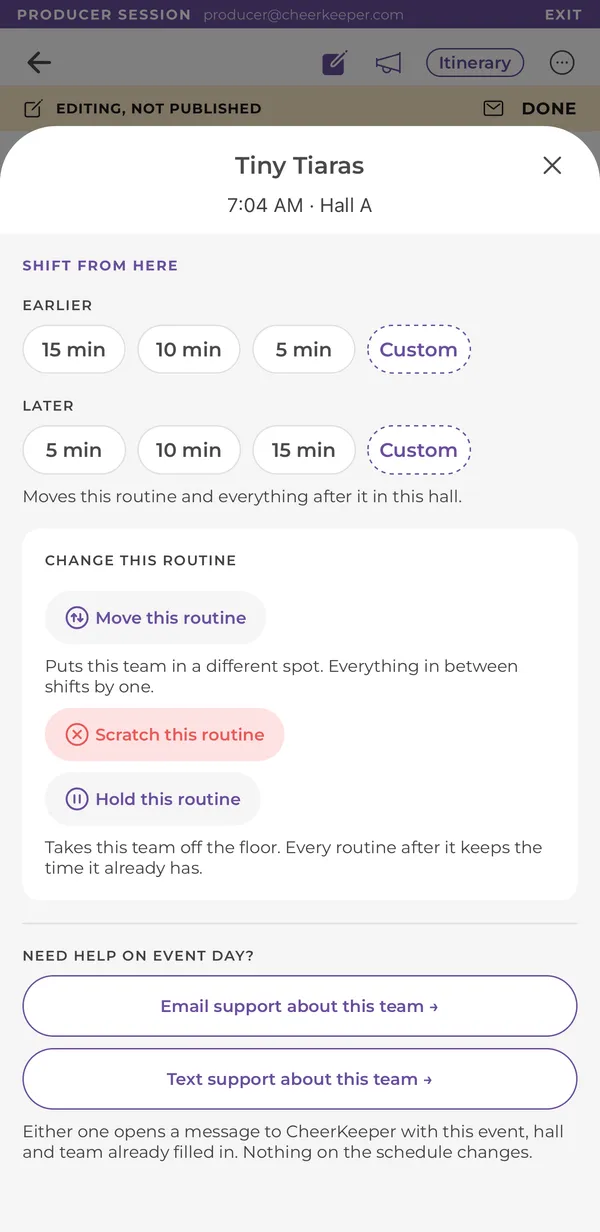
Only when you tap Publish. Until then every change, including announcements, is staged on your phone, and Undo removes the last one. After you publish, families with a bell on a routine whose time changed get a push. To reverse a published change, make the opposite change and publish again, or contact support from the routine sheet.
Tap Add or fix a team, or Email or Text support on the routine. The message opens with the event, hall and team already filled in, and we update the schedule for you. Nothing there changes the schedule until we do.
Last updated: September 30, 2026
Email us at support@cheerkeeper.com and a real person will get back to you. To help us find the problem fast, include:
You can also use Send Feedback in the app, the speech bubble at the top of every tab. It’s anonymous, so add your email if you want a reply.
We can’t change performance times. Only the event producer can. For a problem on the floor, go to the event’s info desk.